
Bringing External Data into MySQL with the vsql-http Extension

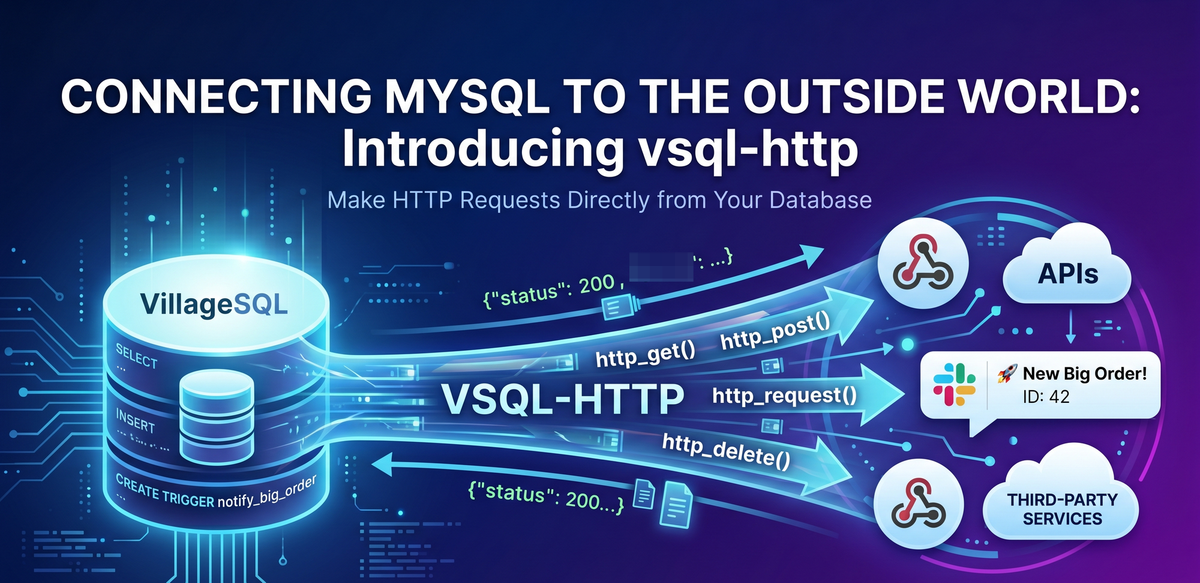
Every second, your database rows change: a new customer, a successful payment, a fresh sign-up. But while your business happens out in the world, your SQL logic is usually confined to the database itself. The world your application actually serves lives outside it—in webhooks, APIs, third-party services, and notification queues. Traditionally, bridging this gap requires application code sitting in the middle, constantly watching for changes just to push them out.
The new VillageSQL vsql-http extension closes that gap by adding HTTP client functions directly to MySQL. Instead of building a separate microservice to monitor your data, you can now treat an API like any other table.
The extension gives you eight functions—http_get(), http_post(), http_put(), http_delete(), http_patch(), url_encode(), and url_decode(), plus the flexible http_request() for custom headers or complex verbs. The six http functions return a structured JSON object containing the status, headers, and content.
For example, if you need to enrich a user profile with data from an external service, you can do it in a single query:
-- Fetch user data from an external API
SET @resp = CONVERT(
    vsql_http.http_get('https://api.example.com/user/42') USING utf8mb4
);

SELECT
    JSON_VALUE(@resp, '$.status') AS status,
    JSON_UNQUOTE(JSON_EXTRACT(@resp, '$.content')) AS body;
The result is a clean JSON object that you can immediately parse using MySQL’s native JSON functions. Extract what you need with JSON_VALUE() or JSON_EXTRACT().
{
  "status": 200,
  "content_type": "application/json",
  "content": "{\"id\": 42, \"name\": \"Jane Doe\", \"plan\": \"gold\"}",
  "headers": [["date", "Wed, 15 Apr 2026 19:52:16 GMT"], ["content-type", "application/json"]]

}
The most impactful way to use vsql-http is inside a trigger. Imagine automatically notifying your Slack channel the moment a high-value order is placed, without your backend app ever needing to know about it.
CREATE TRIGGER notify_big_order
AFTER INSERT ON orders
FOR EACH ROW
BEGIN
    IF NEW.total > 1000 THEN
        SELECT vsql_http.http_post(
            'https://hooks.slack.com/services/T000/B000/XXXX',
            'application/json',
            JSON_OBJECT('text', CONCAT('🚀 New Big Order! ID: ', NEW.id))
        ) INTO @unused;
    END IF;
END;
When a row lands in orders, the trigger fires, builds the payload, and posts it. The webhook gets the notification before your application layer even knows the row exists. You've collapsed a three-tier flow into one. Keep in mind that the INSERT blocks until the HTTP call finishes — set a tight timeout using http_request() with an options JSON argument ({"timeout": 3}) if latency matters.
For APIs that require authentication, use http_request() with a headers argument:
SELECT vsql_http.http_request(
  'GET',
  'https://api.example.com/secure',
  '{"Authorization": "Bearer mytoken", "User-Agent": "VillageSQL/1.0"}',
  NULL, NULL, NULL
);
You should store API keys in a dedicated table with restricted grants rather than hardcoding them in trigger bodies or SQL scripts — they'll end up in query history otherwise.
These functions are thread-safe. The extension uses the system libcurl library and maintains connection keep-alive, so repeated calls to the same endpoint reuse the TCP connection.
A common concern with database-level HTTP calls is blocking. If an API is slow, you don’t want your database transactions to hang. If a connection fails, the functions return NULL rather than throwing a hard SQL error, allowing your logic to continue. You can (and should) set strict timeouts to ensure that a slow external API never stalls your local database performance.
Get Started
The extension was inspired by PostgreSQL's pgsql-http, but built for VillageSQL's extension framework to provide this functionality to MySQL users. Your MySQL data can now reach out and touch the world without leaving the database. We'd love to hear what you think and how we can improve it.
You can find the source, installation instructions, and full documentation for the extension at vsql-http on GitHub.