
Your MySQL Schema is Already a REST API

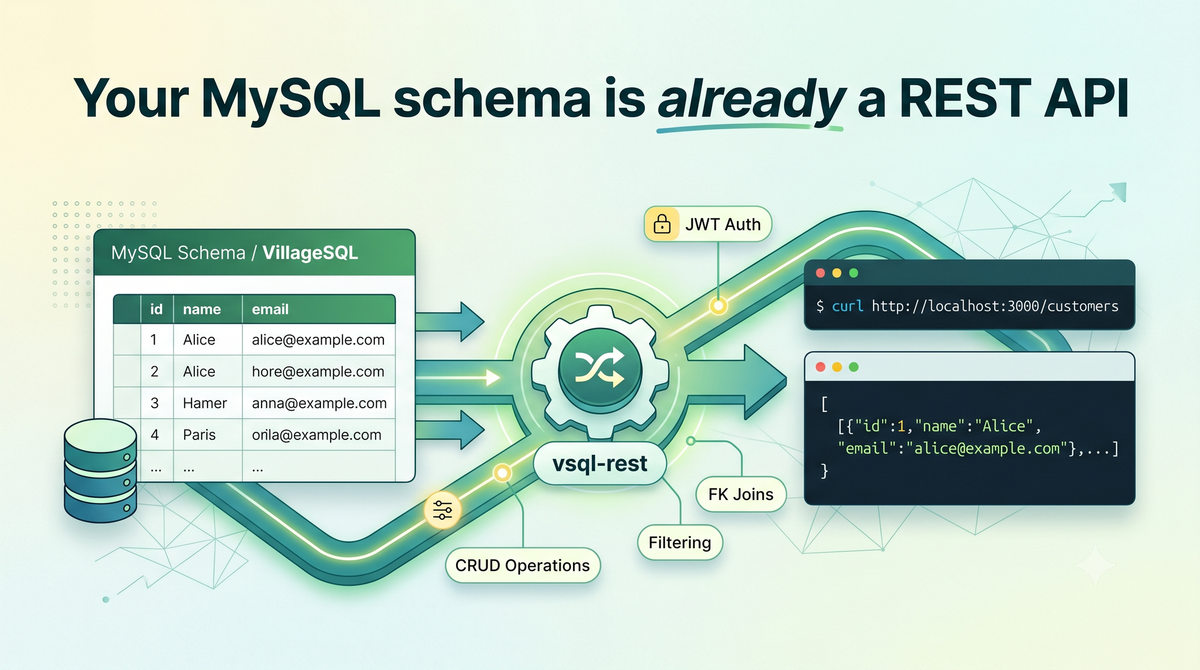
You have a table. You need to serve it over HTTP.
The standard path requires you to write a service in Node or Python or Go, wire up routes, translate query parameters into WHERE clauses, serialize rows as JSON, add auth middleware, deploy it separately from the database, and then watch two dashboards instead of one.
None of that is particularly hard. It's just infrastructure that re-derives what your schema already says. For internal tools, admin panels, mobile app backends, and prototypes, that's often most of the work between the schema and a usable API.
vsql-rest skips that layer. It's inspired by PostgREST, with a similar idea: your tables as REST endpoints, no code required. The MySQL world also has Oracle's MySQL REST Service, which takes a more explicit service-and-metadata approach to the same problem. vsql-rest is on the lighter end of that spectrum, with the schema itself as the API contract.
It runs inside VillageSQL, a tracking fork of MySQL. Existing MySQL clients and drivers work against it unchanged. vsql-rest itself runs in the same process as the database. Your tables become accessible over HTTP endpoints the moment you turn it on, and configuration and monitoring are all done in SQL. Here's the full setup:
INSTALL EXTENSION vsql_rest;
SET GLOBAL vsql_rest.schema = 'mydb';
SET GLOBAL vsql_rest.port = 3000;
SET GLOBAL vsql_rest.vsql_rest_enabled = ON;
After four SQL statements, you get a working REST API.
curl 'http://localhost:3000/customers'
# [{"id":1,"name":"Alice","email":"alice@example.com"},...]
This is the first release; we'll iterate based on feedback.
Everything lives in the database
The API and the database share a lifecycle. The API server comes up when VillageSQL starts, and goes down when it stops. Configuration works through SET GLOBAL like any other system variable, with no config file and no process restart. Changes take effect immediately:
-- Switch the exposed schema
SET GLOBAL vsql_rest.schema = 'production';

-- Raise the default row cap
SET GLOBAL vsql_rest.max_rows = 5000;
Observability comes from SHOW STATUS:
SHOW STATUS LIKE 'vsql_rest%';
-- vsql_rest.requests_total     1482
-- vsql_rest.connections_total  309
-- vsql_rest.requests_active    2
Your API metrics live in the same place as your query metrics: request counts, active connections, queue depth. Just run SHOW STATUS.
Reads, writes, and joins
Every table in the configured schema is immediately a GET endpoint. A schema you already have is a read API you already have. Filtering, sorting, pagination, and column projection are included, without writing a route:
# Pending orders, highest total first
curl 'http://localhost:3000/orders?status=eq.pending&order=total.desc&limit=10'

# Only the columns you need
curl 'http://localhost:3000/customers?select=id,name,email'
The filter syntax covers most query patterns you'd otherwise write a route for: comparisons, range checks, substring matches, null checks, set membership. Combine parameters for AND; use ?or=(...) for OR combinations. The full operator list is in the README, and coverage is largely shared with PostgREST. Aggregates and joins beyond FK embedding aren't part of the URL DSL; drop down to /rpc/ for those (covered below). Every response includes a Content-Range header; add Prefer: count=exact to get the total row count before pagination.
The same endpoints handle writes. POST to insert, PATCH with a filter to update, DELETE with a filter to remove. You get the full CRUD surface with no routes required. An unfiltered DELETE returns 400 to prevent accidents. Add Prefer: return=representation to get the inserted or updated row back:
# Insert and return the row
curl -X POST -H 'Content-Type: application/json' \
     -H 'Prefer: return=representation' \
     -d '{"name":"Carol"}' http://localhost:3000/customers
If your schema has foreign keys, vsql-rest resolves them in a single request, which eliminates the most common reason to write a custom endpoint. Name the relationship in your select parameter and related rows come back nested, with no extra round-trips and no client-side stitching:
curl 'http://localhost:3000/customers?select=id,name,orders(*)'
# [{"id":1,"name":"Alice","orders":[{"id":10,"total":89.99,"status":"shipped"},...]},...]
For business logic, aggregates, or anything else beyond what the URL DSL expresses, the /rpc/ path calls stored functions directly:
curl -X POST -H 'Content-Type: application/json' \
     -d '{"order_id":42}' http://localhost:3000/rpc/mark_shipped
GET / returns an OpenAPI schema covering every exposed table, so you can generate clients or load the schema into Postman without writing it by hand.
Access control
By default, every table in the configured schema is reachable to anyone who can reach the port. That's fine for a local prototype, not fine for production. vsql-rest also runs queries through a privileged internal session, so MySQL's native GRANT/REVOKE system doesn't constrain it. Access control happens through three sys vars instead.
allowed_tables sets an explicit allowlist. Anything not on it returns 404, including the API discovery endpoint and FK-embedded related tables. Without it, every table in the schema is reachable:
SET GLOBAL vsql_rest.allowed_tables = 'orders,customers';
allowed_routines does the same for /rpc/ calls. Without it, every callable routine in the schema is exposed:
SET GLOBAL vsql_rest.allowed_routines = 'add_numbers,mark_shipped';
table_methods locks individual tables to specific HTTP verbs. Useful for making audit tables read-only or preventing deletes on tables that should only grow:
-- customers: read-only. orders: read and create only.
SET GLOBAL vsql_rest.table_methods = 'customers:GET|orders:GET,POST';
All three take effect on the next request cycle with no restart. A production config typically combines them:
SET GLOBAL vsql_rest.allowed_tables   = 'orders,customers';
SET GLOBAL vsql_rest.allowed_routines = 'get_summary';
SET GLOBAL vsql_rest.table_methods    = 'customers:GET|orders:GET,POST';
By default the HTTP listener binds to all interfaces. Restrict that at the network layer (firewall, reverse proxy) in any deployment that isn't local development.
Authentication and row-level security
Set vsql_rest.require_auth = ON and every request must carry a valid JWT in the Authorization: Bearer header. We support HS256 (HMAC-SHA256) and RS256 (RSA-SHA256).
SET GLOBAL vsql_rest.jwt_secret = 'your-secret';
SET GLOBAL vsql_rest.require_auth = ON;
After verification, JWT claims land as MySQL user variables: sub becomes @vsql_rest_jwt_sub, role becomes @vsql_rest_jwt_role, and any string claim foo becomes @vsql_rest_jwt_foo. That opens up row-level security via views.
MySQL views can't reference user variables directly, so a stored function wrapper is the way in:
CREATE FUNCTION vsql_rest_jwt_sub() RETURNS VARCHAR(255)
NOT DETERMINISTIC READS SQL DATA
BEGIN RETURN @vsql_rest_jwt_sub; END;

CREATE VIEW my_orders AS
  SELECT * FROM orders WHERE customer_email = vsql_rest_jwt_sub();
Expose my_orders instead of orders and every authenticated request automatically scopes to that user's rows.
How the server works, and where the limits are
Concurrent requests share one SQL session and run serially through it. Most web application workloads, with reads dominating and writes in the low hundreds per second, won't saturate the queue. Sustained high write throughput will cause latency to climb before throughput drops. Plan for that, or rate-limit upstream.
Writes flow through SQL, so they show up in the binary log and replicate like any other change. The HTTP listener itself is per-instance, so you choose which nodes serve the API. REST requests also run as ordinary SQL queries inside the server, which means they appear in the general log and the slow query log when those are enabled. Backups (mysqldump, snapshots, xtrabackup) and logical replication work the same as they would without vsql-rest installed.
DDL changes (new tables, ALTER TABLE, dropped columns) are picked up on the next schema cache refresh. The default TTL is 60 seconds, configurable via vsql_rest.schema_ttl. Clients may see stale column lists during that window.
We've kept the HTTP surface small intentionally. HTTP parsing is handled by picohttpparser, a minimal ~500-line MIT-licensed parser, and TLS and JWT verification go through OpenSSL directly. Even so, vsql-rest processes external HTTP traffic inside the database process, which means a vulnerability or a crash in the HTTP layer carries a larger blast radius than it would in a standalone service. Treat it accordingly: put it behind a reverse proxy, restrict network access, and don't expose it to the open internet without auth enabled.
SQL injection prevention is two-layered. Table and column names are validated against the schema whitelist built from INFORMATION_SCHEMA, so user input never reaches name interpolation directly.
Getting started
You'll need a running VillageSQL instance. See villagesql.com to get started. Then grab vsql-rest 0.0.1 from github.com/villagesql/vsql-rest, build and install it.
What's ahead
The main concurrency limit, where all requests serialize through a single SQL session, will be addressed when VEF supports a multi-session thread pool. The four preview APIs the extension depends on are also on the path to stable, and vsql-rest will track those changes as they ship.
Try it on a schema you already have. If something's missing or something breaks, file an issue at github.com/villagesql/vsql-rest/issues or come find us on Discord.